

Business management tablet for Qbox, QBCore and ESX: staff, ranks, payroll, sales, menu, memberships, loyalty cards and job applications.
A management tablet for player-run businesses on Qbox, QBCore and ESX. Staff ring up sales, bosses set ranks, pay and permissions, and customers get a phone app with the menu and a loyalty card.
 Watch video
Overview#
| Dashboard | Sales today and this week, average order, wages owed, recent sales, who is on shift, the latest blacklist entries and unread announcements. |
| Sales | A New sale register built from the business's menu, a searchable transaction history and commission per rank on every sale. Sales can be billed to the customer as an invoice. |
| Menu | Items and prices, picked from the business's own ox_inventory items (<job>_ prefix) plus any shared items you allow. |
| Ranks and permissions | Tablet ranks are the job's grades. The boss can rename, add and remove ranks and choose what each rank may do from 23 built-in permissions, plus any the business adds. |
| Payroll | Commission and wages build up as wages owed. Pay staff by hand or let auto-pay run on a set day and time, into their bank or as a paycheck to collect. |
| Job applications | Staff hand out an application form item. Applicants fill in the business's own questions, and staff hire or decline them from the tablet. |
| Memberships | Membership tiers with a price and a discount for customers. |
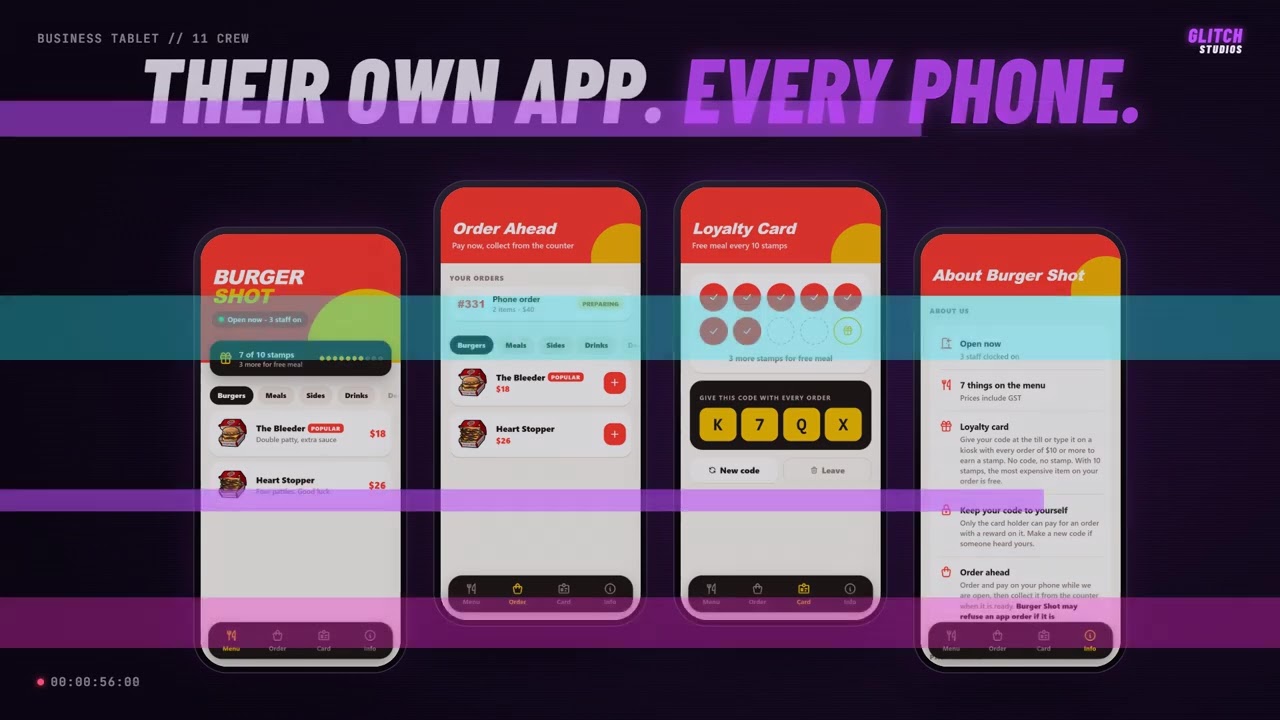
| Loyalty cards | Customers sign up in the business's phone app and collect stamps on paid orders. The reward is a free item or a percentage off. |
| Blacklist | People refused service, with an optional expiry date. |
| Announcements | Announcements and alerts for staff, with pinning and read receipts. |
| Activity log | Every hire, pay change, sale and menu edit, shown on the tablet and posted to a Discord webhook. |
| Customer phone app | With sd-phone, each business can get its own app with its menu, whether it is open, the loyalty card and ordering ahead. |
| Pages from other scripts | A business resource can add its own pages to the tablet, such as a kitchen stock page or a mechanic's work orders. |
| Three ways to open it | As an app on sd-tablet, as an app on LB Tablet, or as its own tablet screen opened by a command, key or item. |
Stuck on a step?Ask in the Discord →